Showing posts with label Ministry Tech. Show all posts

Monday, April 11, 2016

Meme Fights.

I had an interesting exchange on the internet the other day.  I belong to some running communities on Facebook, where we share information, ask questions, and discuss running. It was Easter week and I decided to post a meme (picture with words over it) that paraphrased Micah 6:8. “Act justly, love mercy, walk humbly with your God” where I’d crossed out “walk” and wrote “run”. I figure we can run humbly as well as we can walk, and thought it would be a nice inoffensive post.

I was wrong. Though my post received many likes and some positive comments, one woman shared that she felt it completely inappropriate for a running community. In her words, I was posting “religious propaganda” and she wasn’t afraid to bash it.
Have you ever had this happen? If you’re like me, the blood begins to boil inside you and you think of all the ways you can respond.
Here’s what I wanted to write in response: “Are you kidding me? The very mention of a God is offensive to you? It is so frustrating that we are now living in a world where people - like you - are so intolerant of others’ views that you can’t just ignore and scroll past a mildly religious meme without freaking out about it. And the reality is, it’s true of you too. Even if you don’t claim to believe in a higher power, your life is filled with “gods”. It may be science, or materialism, or yourself, but you’ve got “gods” in your life that you hold up. And this would still be good advice. Get over yourself.”
Thankfully, Jesus left us the Holy Spirit who steps in sometimes and helps us know when to shut up. I needed to shut up that day. Because we as Christians haven’t done a very good job of responding to people not agreeing with us. Instead of being like Jesus and offering grace and understanding to those who won’t offer it to us; we get in an argument and represent Jesus poorly. So instead of reacting, I responded. This is how our interchange went:
She: Seriously? God has to be brought up in a running group now?
Me: Apologies if it’s offensive.
She: Thanks. Yep, a little bit.
Me: Though, if you don’t like the God part, the rest is still not a bad way to live.
She: True. It was the assumption that everyone believes in a god that I didn't like. I do my best to avoid religion, and was surprised to find it on a running page. Might have overreacted due to Easter being my least favourite time of year though. Sorry if so!
Me: No worries. I hope your week is good despite the holiday.
She: Thank you! … I hope you have a good weekend too!
Now, full disclosure, she continued to go off about the post to others via the comments, especially when they stood up for my post. But at least I was stopped from being a bad representative of Christ to her. I have no idea why she doesn’t believe, or why Easter is especially hard for her, but I hope she will remember a Christian who was kind to her despite her intolerance.
I feel like what I see in the world or on the internet are Christians more interested in protecting their turf/rights than offering grace. Maybe we can be reminded that Jesus always chose grace; even as He prayed for forgiveness for those that nailed Him to a cross. Now, I’m definitely not saying to be like me; instead, let’s keep trying to be like Jesus.

Tuesday, May 20, 2014

Youversion Live Events - A Review

How do we get people to interact with the worship and message on Sunday mornings?  Not a new question at all.  (And the answer probably has less to do with a method of interaction, and more to do with changing the way we do these gatherings.  A topic for another day maybe.)  But churches have tried all kinds of ways to help people connect to what is going on in worship.

First, we created the bulletin.  This way everyone knows how far along we are in the order and any announcements they may need to know.  (Which they won't read anyway.)  Oh, the bulletin.  Church secretaries spend most of their week putting together this uber important document that will get tossed or left in the pew when the gathering is over.  But we hope it will help people engage.  (It doesn't.)

Then we realized that nobody ever brings their Bible anymore so we chose one of two options.  We either bought Bibles for the pews or began to post Scripture verses on the screen so people can follow along.  (Or both).  Pastors, how many of you have asked people to turn to a certain passage and reminded them there are Bibles in the pews and heard not a single page turn?  Yeah, me too.

Some well-planned pastors then decided that people need a good outline of the sermon so they can take notes and up their engagement on the message.  So sermon outlines are put in our beloved bulletins; some even attached with a perforated edge!  Maybe a few use the outlines for notes, but many also become the place for a little kid to draw to keep busy or for teens to pass notes down the pew.

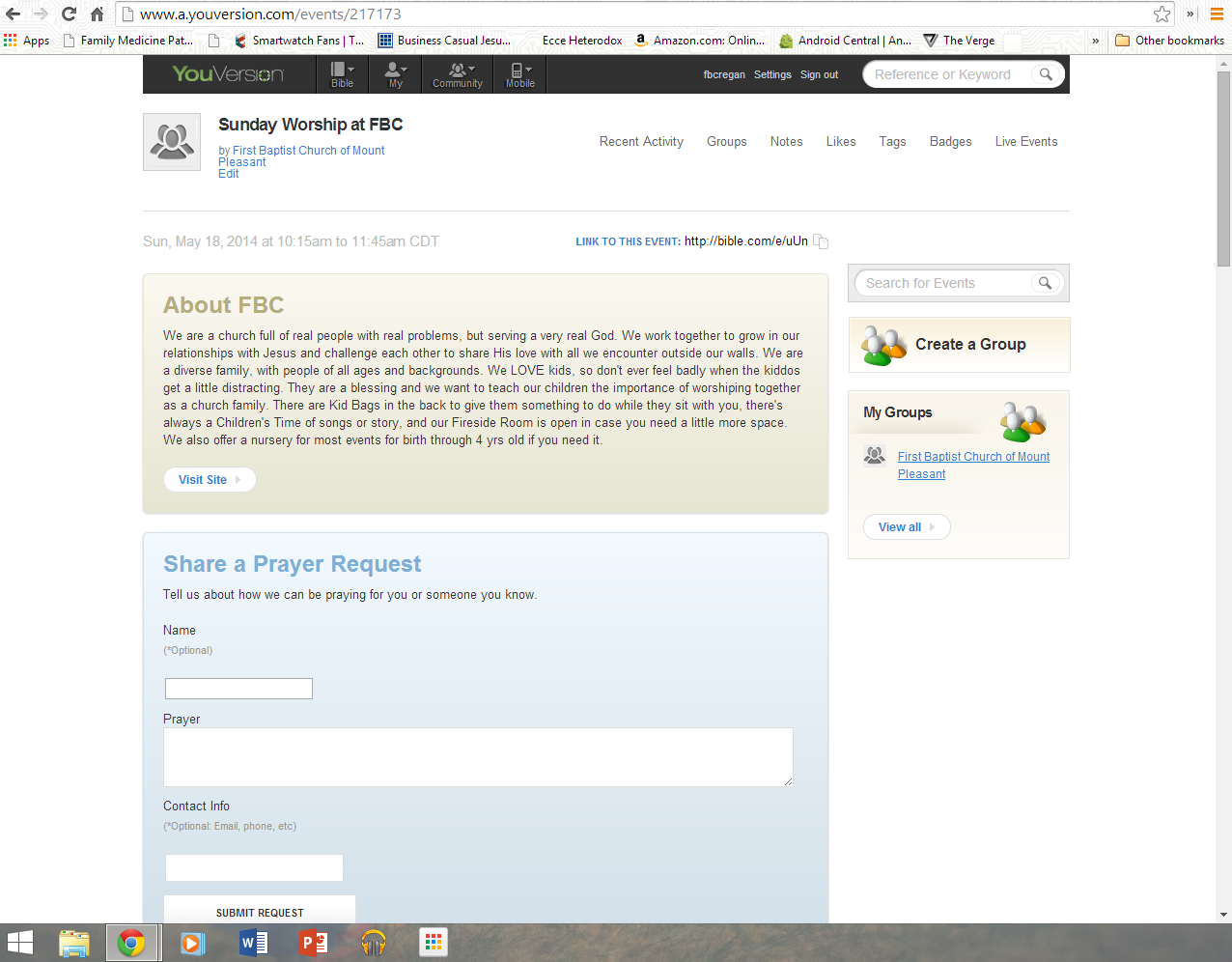
So the most popular Bible app in the world made a different way possible using their Youversion Bible app.  (Available on all mobile platforms as well as in a browser.)  I've been using the Youversion Live Events for a few months now so here's my take.

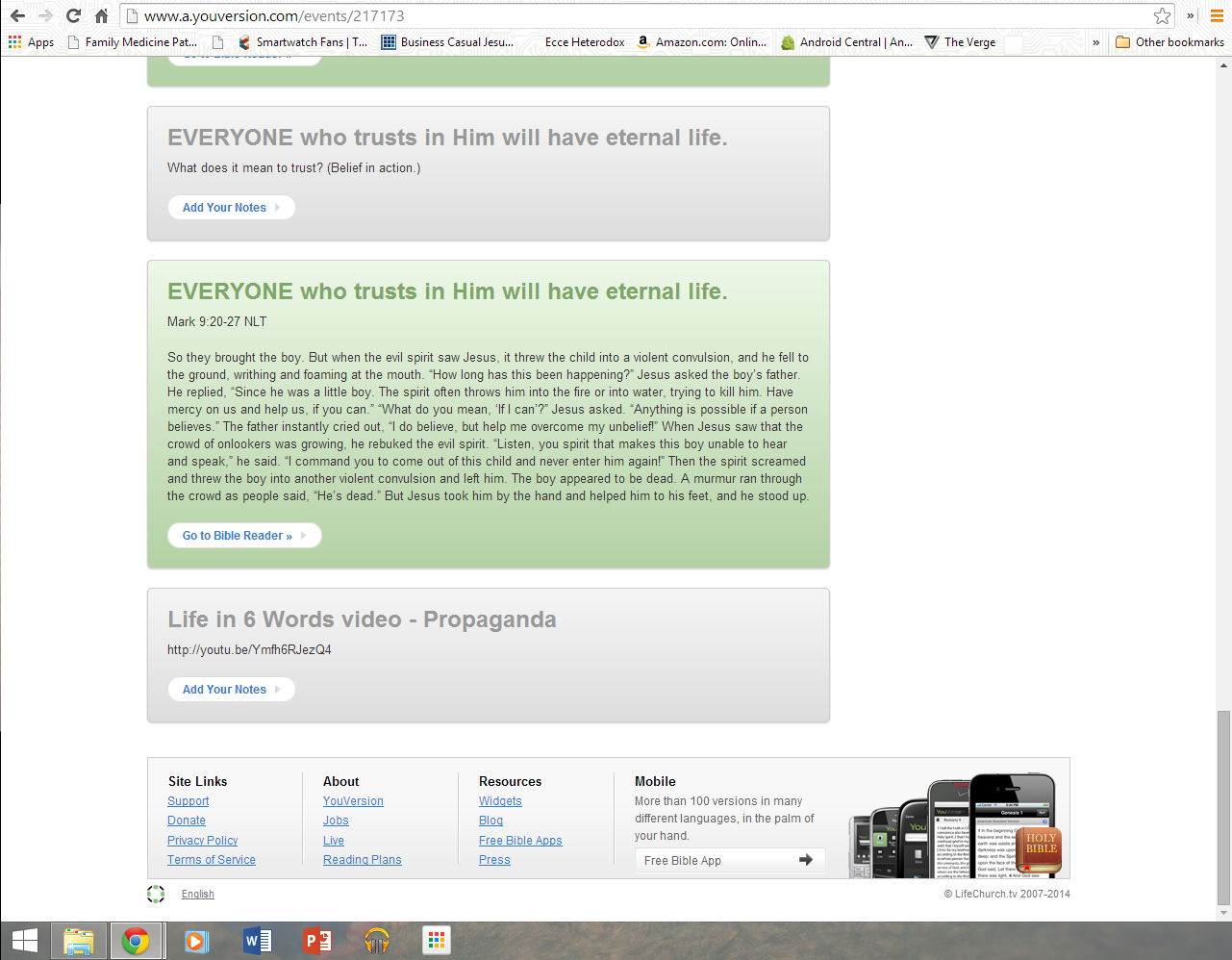
The Bible's Live Events gives a church or group the chance to let people connect through the app to take notes, read the Scripture, submit prayer requests and much more.  I don't use all the options, but each week use it for people that want to follow along with the sermon or communicate with us a need.


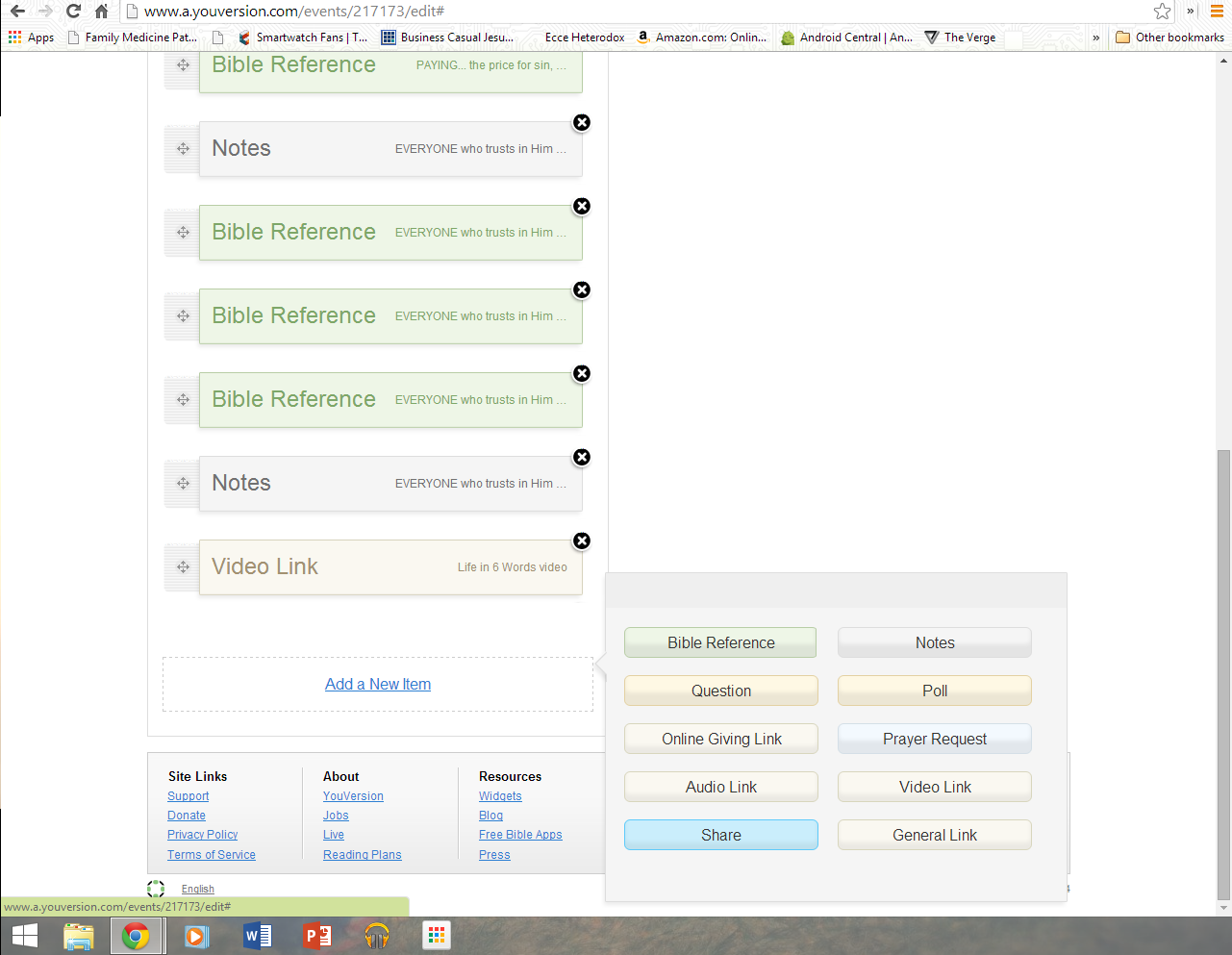
First, you can only set up a Live Event via a computer. (PC, Mac, or ChromeOS)  There is no option within the mobile app to set up or edit Live Events.  (PLEASE MAKE THAT POSSIBLE, Youversion.)  But it's quite easy within a browser to bring up my sermon notes on Google Drive and Youversion in another tab to lay out the Event.  I don't use all the options, but do some simple things.  First, our Event has some info about our church and a link to our website.  Next, there is a place to fill out prayer requests that will submit them to us.  (Though, there are no notifications that alert me to a submitted a prayer request.  I have to manually check to see if anyone has submitted any.  Another flaw.)  Then I can go through my sermon structure to put in places for notes.  For me, these are just a basic point of the sermon or questions related to it, and then there is a place for the user to input their own notes or thoughts.


The best part, to me, is that I can put in all the exact Scripture references that I'm going through in the version I want to use.  So I'm not handcuffed to the NIV or some other version that's sitting in the pews, and users can follow along exactly with what I'm reading.

When I began using this, there was no one in our church interested in using it.  But as more and more people are buying smartphones and tablets, the interest has risen.  Now, we have many that are using it weekly.  My 7 year old son was even using it on my wife's smartphone last Sunday, even taking notes.  I've heard report after report from participants that they love using it to follow along, and love emailing themselves their notes from the event at the end of worship.

If you are interested in using this for your church, here are some requirements.  (In my opinion.)

  1. Offer free wifi in your church.  You can't invite people to use devices if they can't get online.  This means having a separate wifi network that is accessible for everyone without getting access to your sensitive administrative info.  We ran a separate router to the balcony in our sanctuary and set it up as "FBC Guest" for anyone to connect to.  And make sure it's working each week.  All it takes is a flicker of power loss in the building and the router will need reset to work correctly.  If McDonalds and Starbucks can be a wifi hotspot, so can we.
  2. Lay out specific instructions for using the app.  Many people are not good at figuring this stuff out.  We're having more of our older members getting Kindles, iPads, or Android tablets and they need instructions for getting connected.  In our bulletin it says, "If you have a smartphone or tablet there is a new way to interact with our worship services.  First, connect through our free wifi called "FBCGuest".  Then, download the Bible app by Lifechurch.tv (Youversion).  You can find it in the Appstore, Google Playstore, or Amazon Appstore.  Next, tap your menu and look for the section called "Live".  Tap 'Search for a Live Event' and it will bring up local live events.  Ours is called "Sunday Worship at FBC".  There, you can learn more about us, read Scripture, take notes, and even share prayer requests.  Check it out."
  3. Have someone available to help people who need help.  (We don't have this set up well yet, but I'm working on it.  Normally the person who would help someone with tech is me and I'm up front.)
So give it a try sometime; it just may be useful in your church.  It's not the answer to getting all people involved in worship, but for those that want to, it's a good tool.  It's not perfect, and there are things they could add to make it much more useful, but it's good at what it does.

And to users:  We're not stupid; we know when you're looking at Facebook, playing Flappy Bird, or texting instead of using the app.  Don't fool yourself.

Monday, October 7, 2013

A Techy Sermon Prep

How do you write your sermons?  I read an article about how much time different well-known preachers spend on their weekly sermon, and you find a wide range among them.  It's great to see that we all have different ways to put together these important messages, because God has gifted us differently and placed us in different contexts.

For me it's baffling that some preachers spend 30+ hours per week on their sermons.  I'm not judging, but I'd never get it done if that were the case for me.  But again, that is a part of my personality and calling her in Mount Pleasant.  I'm an open door person, first of all.  I cannot bring myself to close my door unless I have to.  You may find my door closed very few times of the year, and usually you would look through the window to find I'm meeting with someone.  That's about the only time I close the door, because I can't stand shutting people out.  I want people to know I'm truly accessible, whether it's just for a chat or for serious needs.  (I'm also a huge extrovert, and can't stand being alone.)

For me, a huge blessing and curse is my ADD brain that keeps me focused on multiple things at once at all times.  On the plus side, I will keep sermon themes in my head throughout the week in whatever places God calls me in ministry.  My experiences get connected in my head with the focus that God's Word is leading me toward.  This is great because I find that I'm preparing my sermon subconsciously all week long, even when I'm not trying to.  The downside of this is that I literally cannot sit down and work on my sermon throughout the week.  I can read through the Scriptures, study some commentaries, and meditate on it, but I just can't sit down and start putting things together.  I can't focus on something coming on Sunday when I have everything else coming up first.  I may have meetings, Worship Jam prep, youth group lessons, counseling sessions, and program planning to do and I just can't get my mind to focus on making the sermon happen.  So I've learned not to fight it.  I let my mind ruminate on Sunday's theme in the midst of everything else I'm doing, and pray that God will shed some light on where I need to go when I'm ready to go there.

Then comes Saturday night.  The boys are in bed around 8pm and I get to work.  No longer are the needs of the week pulling me in different directions, and the immediacy of Sunday morning allows me to focus as I haven't been able to all week.  I sit down with my Nexus 7, my bluetooth keyboard, and my favorite app - Google Drive, to put my thoughts on paper.  With Google Play Music All Access pumping worship music through my Plantronics bluetooth headphones from my HTC One phone, I outline my message; cutting and pasting the Scripture verses into my Google Document from my NIV Study Bible app.  And in no time, all that has been bouncing around my head and heart finds its way into my notes for Sunday morning.  Then, I use my Nexus 7 housed in a nice leather Poetic Slim Case and that same Google Drive app to preach it.  Praise be to God for making this craziness work in my life and ministry.  No, I'm not the best preacher you've ever heard.  But God does let me help to share His Word with great people every week, and for that I'm grateful.

If you didn't catch all the tech in this post, here's a list of what I'm using for sermon prep:

Hardware:

  • Asus Nexus 7 (2013)
  • Poetic Slimline Portfolio Case
  • Motorola Bluetooth keyboard
  • HTC One (Sprint)
  • Plantronics Backbeat 903+ bluetooth headphones
Apps:

  • Google Drive
  • NIV Study Bible
  • Youversion Bible app
  • Google Play Music All Access

Tuesday, April 17, 2012

Updated Apps for Ministry

As you may know, I'm an Android user and advocate; as dumb as that is.  I love it's openness and flexibility and it's Google integration.  I've made an earlier post about my favorite apps for ministry, and I thought I'd update and add some new ones that I use a lot.


  1. NIV Study Bible by Tecarta.  This is an expensive app at $24.99, but is the new NIV Bible with the NIV Study Bible notes.  It is a great way to have some helpful Biblical notes on the go.  It's a beautiful app in full color, and they've done a great job with the UI.  It has full color maps, charts, pictures, and even videos.  It works nicely on my 10" tablet and my 4.5" phone.  While I still love the Youversion Biblle app, this one has the downloaded Bible and notes, and doesn't need a data connection to use.  
  2. Google Docs.  Though I have about every document editing app there is, I love the Google Docs one.  It is simple, has good features, and integrates completely with the cloud.  Again, it works great for my tablet and phone, and it quickly taking the place of Documents to Go, Quickoffice, Polaris Office, and OfficeSuite.
  3. Blogger.  Yes, the native Blogger app does a pretty good job of letting me blog from my phone or tablet.  Am I using it right now?  No; that would be stupid with my computer sitting right in front of me. But it's nice.
  4. Tabs Tools.  Thanks to an Amazon Appstore free app of the day, I have a more fully featured guitar tab app, that includes things like a tuner and metronome.  
  5. Speaking of the Amazon Appstore.  I have a ton of great paid apps that I got for free thanks to Amazon's policy of offering a free app a day.  Some days, it's a game, or some other app I'm not interested in.  But some days, it's a great powerful app that I use for ministry.  I've gotten full versions of Business Calendar, Tabs Tools, OfficeSuite, Quickoffice, PrinterShare, and more thanks to the Appstore.  (The only downside is that apps don't update as quickly through the Appstore compared to the Google Play Store.) 
  6. PrinterShare.  Need to print from your phone or tablet?  This app works great.

Rooted Apps I use for ministry.  If you're rooted, you have more access to your phone's core operating system, allowing some apps to have more functionality.  Here's some apps I use that require root.
  1. Titanium Backup.  If you mess around with your phone like I do, you need something to backup and restore your apps and data.  Titanium is the best.
  2. WiFi Tether.  Yes, you have to buy a special plan from your carrier to tether... usually.  If you're rooted, WiFi Tether will allow you to create a hotspot from your phone.  I use this to give my tablet internet data when not near a wifi hotspot.  I pay a lot of money for my unlimited data, and don't intend to pay more to use the same data.
  3. Roam Control.  Going to camp kills my battery, because my phone constantly searches for a better Sprint signal.  Roam Control allows me to force roaming so it uses the closest towers instead of searching for Sprint.  It loses the 3G speeds, but at least is usable while out in the middle of nowhere.
There's an updated app list.  Feel free to leave comments with your favorite apps.

Monday, April 16, 2012

Catching up on Tech.

As I warned, I sometimes suck at blogging.  I also have some trouble finding topics to write on regarding both ministry and technology.  So I may have to sometimes branch out into either one or the other.
Today, an update on my technology for ministry.
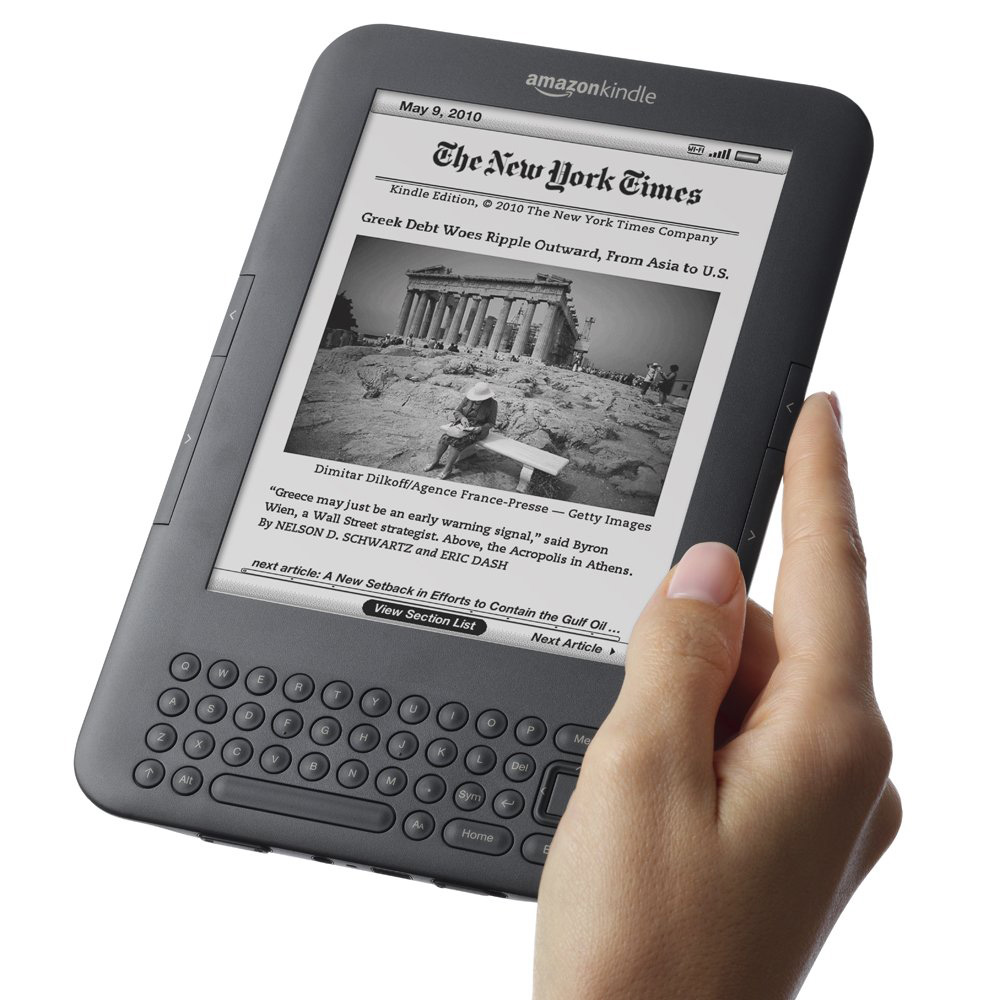
In a previous post, I talked about my love for the Amazon Kindle for the use of preaching, doing weddings, and funerals, etc.  All that changed when I decided to sell my Kindle Keyboard and buy a Kindle Fire.  (Actually, it didn't change that much since it's still a Kindle.)  While I still go back and forth on which I like better, here are the benefits of the Fire and the ways I use it.
Preaching from my Fire is great.  I worried about it's thickness - which is noticeable - and the backlighting, but neither of those are a problem.  I keep my Fire in a very nice, genuine leather book-style case by Bear Motion.  It's wonderful, and makes holding my Fire look and feel just like holding a Bible when I'm up front.  What's best, though, is my process for creating and transferring my sermons to my Fire.  I write up my notes; cutting and pasting Scripture passages into Google Docs in an outline form.  I have the capability of adding color, highlighting, or even pics within my file, since I"m no longer dealing with E-ink.  (I use 14 point font, which scales nicely.)
On my Kindle, I open the preinstalled app called Quickoffice and open my Google Doc directly.  I can then pinch to zoom to make the font larger or smaller, and the app will adjust so all the words fit on the page.  And I'm ready.
Of course, the Fire brings all sorts of other possibilities for use that my old Kindle didn't.  I can surf the web, read, use Twitter and Facebook, and my boys play games on it like crazy.  The only thing I'm really missing is the E-ink Kindle's Text to Speech feature.  (C'mon, Amazon, bring it to the apps.)
My major gripes with the Kindle Fire are mostly understandable given the price point.  I wish it was thinner and lighter.  I think I could stack three of my Samsung Galaxy Tab 10.1 tablets on top of each other before reaching the Fire's thickness.
So if you have a Fire, try it out for teaching, preaching, and ministry.  It's a nice little 7" tablet.

Monday, January 16, 2012

No more big, heavy, highlighted, Bible?

Technology has done a disservice to my Bibles.  I look behind my desk in my office at church to see 17 different Bibles on a bookshelf staring at me with lonely bindings.  I have Bibles of varying translations like the NLT, NIV, NRSV, NASB, The Message, TNIV, and ESV.  (Yes, I know some of those are paraphrases.)  And I have study Bibles with names like Life Application, NIV Study, Apologetics, Archaeological, Serendipity, Wide Margin, Quest, Sports Devotional, and Student.  And I rarely look at any of them.

As a technoholic, I find myself looking instead at my Youversion Bible App on my phone or tablets, or my NIV Study Bible app if I need some study notes.  Between the two, I can read almost every translation, search for keywords, highlight, write notes, and share to Facebook or Twitter; all without wrinkling a page.  Technology is a great tool for the growing Christian. You can even use reading plans to read through the Bible devotionally.

But the key is actually getting into the Word.  And I'll admit, I don't enough.  Sure, I'm reading the Bible for research, sermon prep, or to plan a Bible study; but I don't let it read me nearly as often as I need to.  And as a strictly undisciplined person, I'm not saying that out of some legalistic, "you have to read your Bible daily to be a Christian" ideal.

Here are my reasons for getting into the Word:

  1. God wrote it.  Yes, so did a bunch of men.  But the creator of the universe left us His book and we treat it like it's a hot potato.  The fact that we have access everywhere should not lessen that fact.
  2. Overhearing the Gospel.  The Bible does this amazing thing.  Soren Kierkegaard said, "The gospel is seldom heard.  It is overheard."  Tony Campolo says reading the Bible is like standing behind two men talking on a street corner, and realizing that what they're saying applies to you too.  There is no work of literature in history that is written both for the contemporaries of the day and to readers today like the Bible.  And when I read it, I always overhear something that seems written just for me.
  3. It reads you back.  God's Word has a way of figuring me out as I read it.  I find myself reading a random Old Testament story that can bring to light issues or sins in my life that I need to deal with.  
  4. It's real.  I mean that in a couple of ways.  First, it doesn't hide from the hard questions.  The bible shows main characters' sin, breaks cultural barriers - like the prominence of women in stories, and doesn't shy away from real violence when it happened.  Second, the Bible has stood up to scrutiny and criticism in every way.  It's held up to archaeological evidence, literary and textual criticism, outside historical references, and scientific evidence.  No other religious book - see: Koran, Book of Mormon, etc. - has been so thoroughly attacked and been able to remain credible.
So go read the Word.  I don't care how you do it.  Open the app, turn on your Kindle, or dust off the old family Bible.  Just read it.  And let the Word do the rest.

Wednesday, January 4, 2012

Wednesday, October 12, 2011

My 10 Best Smartphone Apps for Ministry

Regardless of your platform, there are some great apps for ministry on your smartphone.  I'm on Android, but many of these apps are on many platforms, so go look for them in your apps' store, market, marketplace, catalog, or world.  (These are in no particular order.)


  1. BIBLE by youversion.com (Lifechurch.tv)
 What has the world come to that I have 15 Bibles on a shelf behind me, and I rarely open one?  No, I'm not boycotting the Word of God.  This app is just amazing.  Available on every smartphone platform, this app has almost every version of the Bible you can think of.  You can search for keywords or verses, bookmark, highlight, write notes, and share to social media.  It also has reading plans to help you read through your Bible or read for devotions.  Go get it.  It's the single reason I allow some of our youth to keep their phones during lessons.

Tip: If you have a phone with an Amoled or Super Amoled screen: Set to "Low Light" for white letters on a black background.  Because of the technology of Active Matrix Organic Light Emitting Diode screens, it will save you battery life, and looks great.  (Eg. Samsung Galaxy S, SII, Nexus One, Nexus S, etc.)

     
     2.  EVERNOTE

In ministry, you sometimes have to take notes.  Evernote is a cloud-based notes app available on most platforms that allows you to take notes, upload pictures, and get to them from phone, tablet, or computer.  It's great for thinking through sermon ideas, taking notes at board meetings, or keeping track of anything.  It's simple to use and works great.

     3.  DOCUMENTS TO GO (or other document editor)

Sometimes you need to edit documents on the go and this app is great for it.  Kind of pricey for an Android app, but a document editor is required to outline a sermon, write your newsletter article, or put together a devotion while mobile.  I've used Polaris, Quickoffice, and Docs to Go; and the latter is the most full featured, in my opinion.  (At least for Android.)  At camp, this app became a life saver, as I planned, wrote, and preached from my phone for every Chapel time.
      
      4.  AMAZON KINDLE

See my previous post on the use of the actual Amazon Kindle.  The app certainly comes in handy on your smartphone as well.  You can't take your Kindle everyone, but every technoholic has their phone at all times.  It definitely came in handy for me when I needed some extra commentary during Sunday School.  I went to the Amazon store through the app, found a helpful book, bought it, and used it to inform our discussion; all while sitting in the classroom.  

Tip: Amoled users: repeat tip from BIBLE.

      5.  DROPBOX

Do you have documents that you need to get to from multiple places?  How about pictures?  Sign up for Dropbox and get 2GB of free cloud storage.  Then, get the app and you can share anything you might need between computers and your smartphone.  I keep worship song tabs, sermon outlines, and worship planning sheets all in Dropbox so I can get to them from anywhere.  It's also a great way to share files with others.

See also: Box.net

       6.  BUSINESS CALENDAR (or other calendar app)

Four and a half years ago I got my first smartphone because I needed a calendar to organize my daily life.  It still remains one of the most important functions of my phone.  On Android, Business Calendar gives more functionality, better widgets, and better UI to the phone than the regular Calendar app.  Mine keeps me organized with my appointments, meetings, and plans.  It also allows my wife and I to share calendars so we know what each other is doing.  One of the best features of this particular app is the ability to see the text of appointments on the month setting of calendar.  Many only show dots to represent them.  Go get it.

        7.  FACEBOOK

I know, how dare I mention Facebook here.  Well, I have found Facebook to be one of the best ways to communicate with people and this app lets me do it on the go.  I can update my status, write messages to people, and even control our church's and youth group's pages.  If you're not using Facebook for ministry by now, you might as well be preaching from scrolls.  

        8.  GOOGLE MAPS (navigation)

As a self proclaimed horrible navigator, I need me some GPS.  Sadly, even in our Pleasant Mountains, I often need someone to tell me how to get to people's houses.  On Android, Google Maps Navigation is phenomenal, but you can use whatever your platform has available.  I use it to go visit someone for the first time, get us where we're going on youth trips, and know how long it takes to get to a conference.  

        9.  TABS by ultimateguitar.com

As a worship leader, free song tabs are not difficult to come by, but a good mobile app to find them is.  This app for Android is great for finding songs with written chords or tabs, so I can learn and teach our praise team.  You may have the ability to hear it and play it (Jamie), but some of us just aren't that gifted.  This app will get you out of a bind.

       10.  LOGMEIN IGNITION

This is an expensive app, but a worthwhile.  Logmein.com is a great place to connect all of your computers for remote usage.  And it's free on your PC.  But if you want access to your computer via your smartphone, this app works great.  I use it to work from home or on the road when I need access to specific data or files on my computer.  It's nice to be able to tell my secretary the file is sitting in the printer while watching the kids, or heading to a meeting.

--------------------------

These are obviously not the only apps that are good for ministry, but they're some of my favorites.  I skipped the obvious PHONE app, EMAIL, and CONTACTS; cause I feel that's a given.  Hope this helps if you're new the smartphone game.

Tuesday, October 4, 2011

The Best Tech for Ministry

Many churches use technology in their ministry and worship so I'm not going into detail on things like Powerpoint, projectors, or anything like that.  But let me tell you the best piece of tech I use in ministry.  (Other than the computer, of course.)

My Amazon Kindle.  This last week had big Kindle news and I may review that in a later post, but the Kindle may be the little known ministry tool that you need to get.

Yes, the Kindle is a great E-reader and certainly, I buy all of my books for my Kindle; whether I'm studying for a sermon, educating myself on theology, or reading for fun.  But my Kindle has revolutionized my ministry of preaching, teaching, and officiating funerals and weddings.  Let me explain.

The Kindle can do much more than just download and read books from Amazon.  It actually is able to display many different file types, and you can transfer files to it in a couple of ways.  Let me break down how I use mine.


  • First, I preach from my Kindle weekly.  Before this piece of tech, I used a Bible with wide margins and a few notes to preach from each service.  I'm not one to write a manuscript, and don't actually even use my notes that much; but a simple outline keeps me from rambling.  So one day I decided to try out my Kindle for preaching.  I began by typing my notes in Microsoft Word - though you could use any good word processor - and including the Scriptures directly in the outline.  I use youversion.com or biblegateway.com to cut and paste Scripture to my document.  I make the outline in 24pt. Calibri font.  This is easy for me to read when displayed on the Kindle.  Then I save the document as a pdf file; one of the many file types the Kindle will read.  (Note: Kindle will read a regular .doc file too, but you lose any formatting such as indents or other outline elements.)  Preaching from the Kindle is great.  I have the notes I need, as well as Scripture we will use.  I keep my Kindle in a leather case from Amazon that makes it look like a black book or Bible that I'm holding.  And, I have organized sermons both on my computer and my Kindle if I ever need them.
  • Funerals and weddings are the best uses for my Kindle.  In these services, I have much more mapped out plans for the service and my sermon, so having the whole service in my Kindle is great.  Putting it together is just like for the sermon.  But I find it more useful because I need my written words more than when I preach.  For a graveside service, it's especially useful because wind can't blow the pages of a Kindle.  You won't be fighting to keep your pages in line no matter the weather.
  • To transfer to your Kindle, you can either connect it via USB and use it as a mass storage device, or send it by email.  Amazon gives you a Kindle email address when you buy one, and you can send docs to it with email as long as you're on wifi.  Your email address is ______@free.kindle.com.  It works great to get your content wirelessly to your Kindle. 
Pastors, this really has revolutionized my preaching and services.  Now, it's better and cheaper than ever to buy a Kindle and use it for your ministry.  One caveat: keep your Kindle charged up.  The battery lasts weeks, so it's not a major worry; but make sure it's charged when you need it or you could really be in trouble.

Note: I don't work for Amazon, just love good technology.